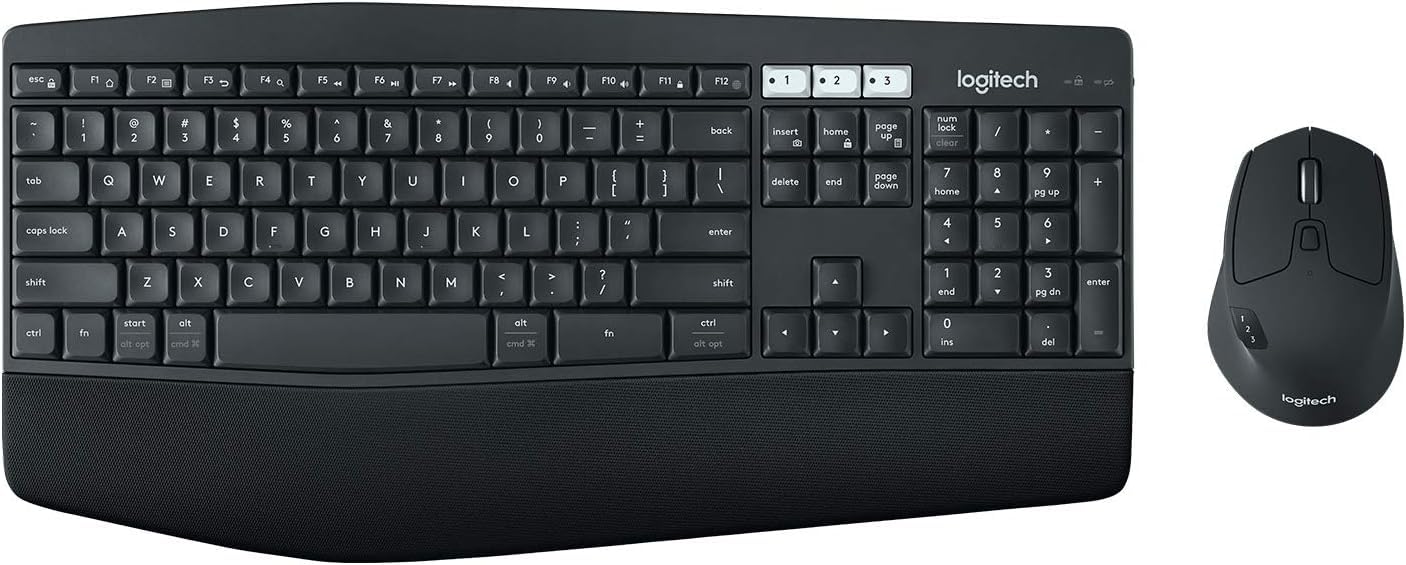
Logitech MK850 Performance Wireless Keyboard and Mouse Combo
The Logitech MK850 Performance Wireless Keyboard and Mouse Combo is a premium set designed to boost productivity and comfort, especially for users who juggle multiple devices. Its ergonomic design stands out immediately, with a cushioned palm rest and contoured keys crafted to reduce strain during hours of typing. Whether you’re working from home, at the office, or managing multiple screen setups, this combo is engineered to make your workflow smoother and less fatiguing.
Key Features:- Ergonomic design for comfortable typing and extended use
- Multi-device connectivity supporting up to three devices via Bluetooth or Logitech Unifying Receiver
- Full-sized keyboard layout with cushioned palm rest and concave keys
- Precision hyper-fast scrolling mouse with customizable buttons
- Long battery life: up to 36 months for keyboard, 24 months for mouse, with auto-sleep mode
Pros:- Comfortable ergonomic layout reduces wrist and hand fatigue
- Seamless multi-device switching via Easy-Switch buttons
- High-precision mouse with fast, smooth scrolling and customizable buttons
- Long battery life minimizes frequent replacements
- Reliable wireless connectivity with both Bluetooth and Unifying Receiver options
Cons:- Bulkier design may not suit users who prefer a minimalist setup
- Keyboard lacks backlighting, which could be limiting in low-light environments
- Mouse is designed more for productivity than gaming, so may not satisfy gamers
- Setup for multi-device switching can be slightly confusing on first use
- Does not include rechargeable batteries; relies on replaceable AA batteries
View Product
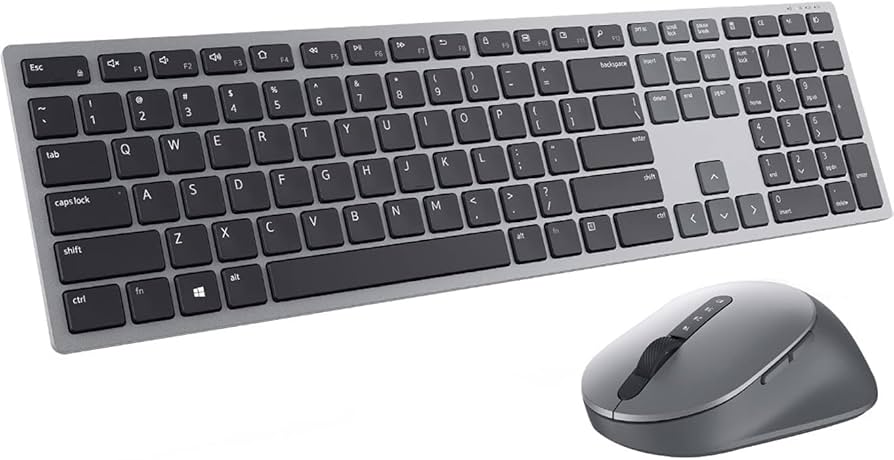
Dell Premier Multi-Device Wireless Keyboard and Mouse – KM7321W
The Dell Premier Multi-Device Wireless Keyboard and Mouse – KM7321W is designed to keep your workspace efficient and clutter-free while enhancing productivity across multiple devices. Whether you’re toggling between your laptop, desktop, and tablet or simply want a high-quality wireless setup, this combo delivers versatility and performance with a sleek, professional look.
Key Features:- Seamless multi-device connectivity with up to three devices via Bluetooth or 2.4GHz wireless
- Full-sized keyboard with a numeric keypad and quiet, responsive keys
- Precision mouse featuring adjustable DPI and an ergonomic design
- Long battery life: up to 6 months on keyboard and 3 months on mouse with included rechargeable batteries
- Compact, modern design with premium materials and customizable shortcut keys
Pros:- Effortless multi-device switching significantly boosts productivity
- Comfortable and quiet typing with a full layout and numeric keypad
- Ergonomic mouse with customizable sensitivity improves precision
- Long battery life with rechargeable options reduces downtime
- Modern aesthetic complements professional setups
Cons:- Slightly higher price point compared to single-device peripherals
- Mouse size may be small for users with larger hands
- No backlighting on the keyboard can make typing in dark environments difficult
- Requires a free USB port for the 2.4GHz dongle if not using Bluetooth
- Customization software may have a learning curve for some users
View Product
Logitech Pebble 2 Combo Wireless Keyboard and Mouse
If you’re searching for a sleek, reliable wireless keyboard and mouse combo that complements your workspace or travel setup, the Logitech Pebble 2 Combo is a strong contender. This duo offers a minimalist yet modern aesthetic with smooth, rounded edges reminiscent of natural stones—hence the “Pebble” in its name. It’s designed to fit seamlessly into a variety of environments, whether that’s a busy office, coffee shop, or casual home office.
Key Features:- Ultra-slim, minimalist design with pebble shape for easy portability
- Bluetooth and USB receiver dual connectivity for versatile device pairing
- Quiet keys and silent mouse clicks to minimize noise in any environment
- Long battery life: up to 24 months for keyboard, 18 months for mouse
- Multi-device compatibility with Windows, macOS, iPadOS, Chrome OS, and Android
Pros:- Stylish and compact design makes it highly portable and visually appealing
- Quiet operation ideal for noise-sensitive environments like libraries or meetings
- Flexible connectivity allows easy switching between Bluetooth and USB receiver
- Long battery life reduces frequent replacements and maintenance
- Compatible with a wide range of devices and operating systems
Cons:- Limited key travel might feel less satisfying for users who prefer a tactile typing experience
- The mouse, due to its minimal design, has only two buttons and no scroll wheel customization
- No backlighting on keyboard keys, which may be a drawback in low-light conditions
- Lack of advanced mouse features such as DPI adjustment could limit productivity for some users
- Keyboard layout may not include a dedicated number pad, potentially inconvenient for certain workflows
View Product
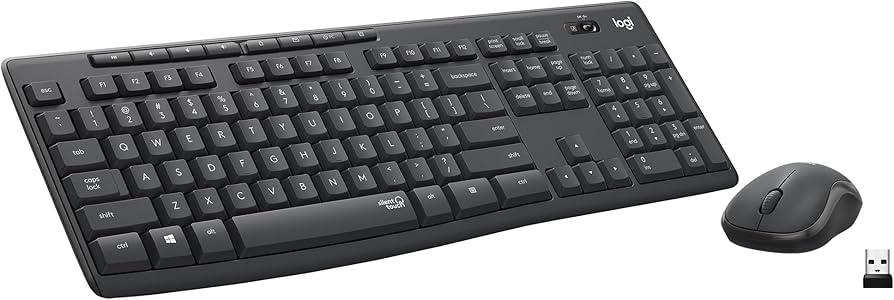
Logitech MK295 Silent Wireless Keyboard and Mouse Combo
The Logitech MK295 Silent Wireless Keyboard and Mouse Combo is designed for users seeking a quieter, more distraction-free computing experience. Whether you’re working in a shared office, a library, or a home environment where silence is golden, this combo aims to drastically reduce typing and clicking noise without sacrificing performance or comfort.
Key Features:- Ultra-quiet typing and clicking with up to 90% noise reduction
- Reliable wireless connection with 10-meter range and 2.4 GHz wireless technology
- Long battery life: keyboard lasts up to 24 months; mouse up to 18 months
- Comfortable, full-size keyboard layout with number pad and adjustable tilt legs
- Plug-and-play setup with USB nano receiver, compatible with Windows and macOS
Pros:- Significant noise reduction enhances focus without distractions
- Long battery life reduces maintenance and running costs
- Full-size keyboard with number pad boosts productivity
- Easy setup with one USB receiver for both keyboard and mouse
- Comfortable ergonomic design for extended use
Cons:- Lacks backlighting, which can be a drawback in low-light conditions
- The mouse design is basic and may not appeal to users seeking advanced features
- No Bluetooth connectivity option, limiting device pairing flexibility
- Keyboard keys might feel slightly shallow compared to mechanical or higher-end keyboards
- The combo doesn't include dedicated media or programmable keys for customization
View Product
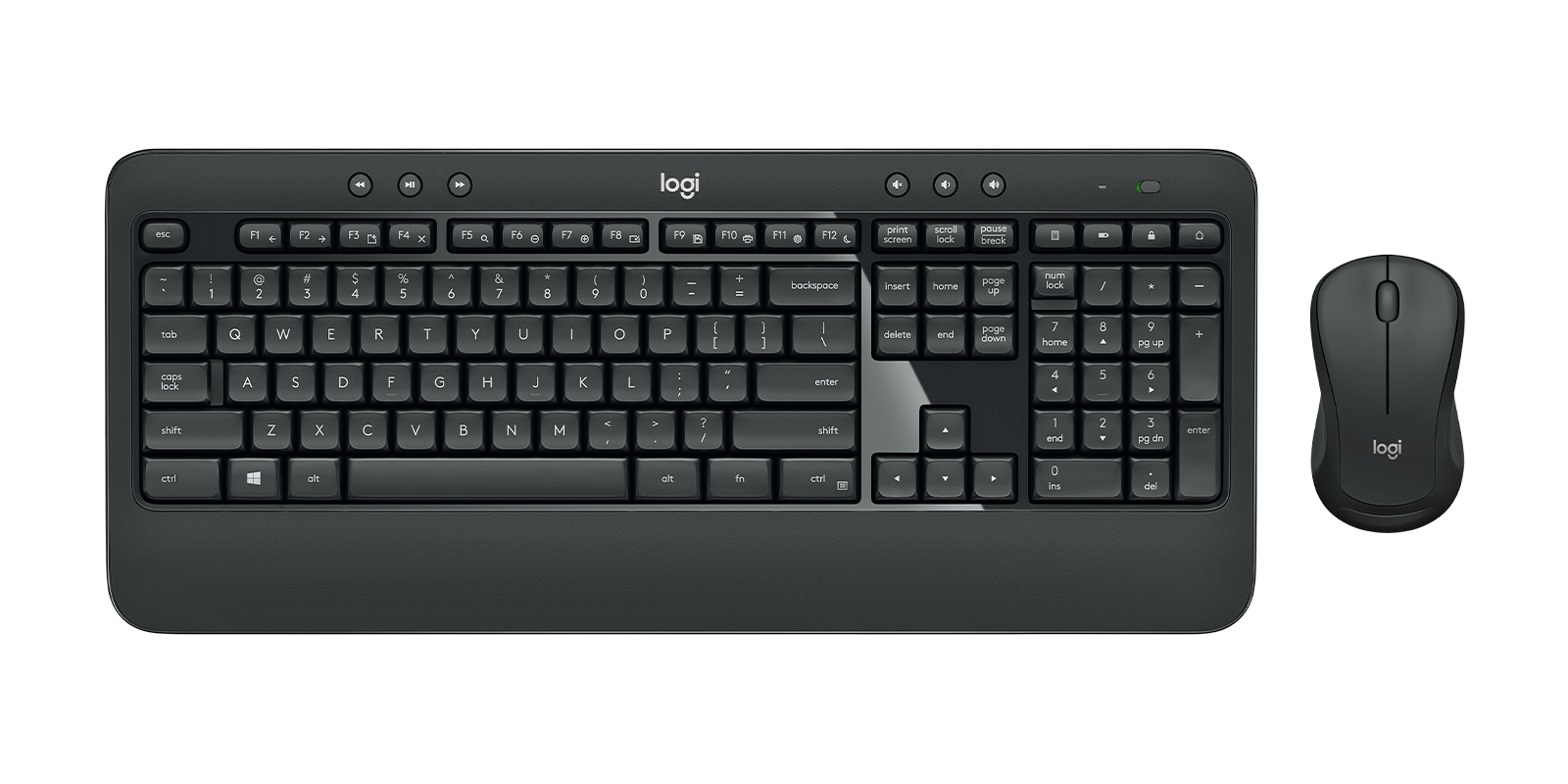
Logitech MK540 Advanced Wireless Keyboard & Mouse Combo
The Logitech MK540 Advanced Wireless Keyboard & Mouse Combo is designed for users who want a comfortable and efficient typing and navigation experience without the clutter of cables. This combo targets both office professionals and casual users seeking a blend of comfort and reliability. The keyboard offers a full-sized layout with a dedicated number pad, ideal for data entry or extended productivity sessions. Its ergonomic design with contoured keycaps and palm rest reduces strain during long hours of use, and the keys provide a satisfying tactile response while maintaining quiet operation.
Key Features:- Full-size wireless keyboard with ergonomic design and tactile, quiet keys
- Precision wireless mouse with 1000 DPI sensor for smooth tracking
- Reliable 2.4 GHz wireless connection with up to 10 meters range
- Long battery life: up to 36 months for keyboard, 12 months for mouse
- Plug-and-play USB receiver compatible with Windows and Linux systems
Pros:- Comfortable, full-size keyboard layout with ergonomic design
- Quiet, tactile keys ideal for both work and leisure
- Reliable 2.4 GHz wireless connection with minimal lag
- Long battery life reduces hassle of frequent replacements
- Easy plug-and-play setup compatible with Windows and Linux
Cons:- Mouse may feel a bit small for users with larger hands
- Lacks backlit keys, which might impact usability in low-light environments
- USB receiver occupies a port, which might be inconvenient on devices with limited USB slots
- No Bluetooth connectivity; requires the USB dongle for operation
- Design is functional but may seem a bit dated compared to newer models
View Product
Logitech MK270 Wireless Keyboard and Mouse Combo
The Logitech MK270 Wireless Keyboard and Mouse Combo is designed to offer an affordable and reliable input solution for everyday computing tasks. Perfect for both home and office setups, this combo provides users with a spacious full-size keyboard paired with a surprisingly comfortable and responsive mouse. The wireless connection operates through a compact USB receiver utilizing a 2.4 GHz frequency, ensuring minimal lag and interference-free performance up to 10 meters away from your PC or laptop.
Key Features:- Reliable 2.4 GHz wireless connection with up to 10-meter range
- Full-size keyboard with durable, spill-resistant design
- Long battery life: up to 24 months for keyboard and 12 months for mouse
- Plug-and-play USB receiver with automatic wireless encryption
- Comfortable, contoured mouse with ambidextrous design
Pros:- Extremely long battery life reduces the hassle of frequent replacements
- Reliable and lag-free wireless connection with plug-and-play simplicity
- Full-size keyboard with comfortable key spacing and useful shortcut keys
- Spill-resistant design adds a layer of durability rarely found in budget combos
- Ambidextrous mouse design accommodates both right- and left-handed users
Cons:- The keyboard lacks backlighting, making it difficult to use in low-light conditions
- Mouse precision is sufficient for everyday use but not suitable for gaming or precision tasks
- USB receiver is small and easy to lose if not handled carefully
- No Bluetooth support, so it requires the USB receiver for connectivity
- Key travel and feedback might feel a bit shallow to users accustomed to mechanical keyboards
View Product