


Setting up a home office means making smart decisions about the tools that keep us productive every day — and few choices matter more than picking the right printer. Whether we’re printing contracts, shipping labels, school projects, or color marketing materials, the wrong printer can slow us down and drain our budget with every cartridge replacement. The good news? Office Depot carries an impressive range of home office printers that balance performance, reliability, and value. Additionally, we’ve done the research, so you don’t have to. Hence, from AI-powered inkjets that format your pages automatically to laser-quality digital printers that churn out 31 pages per minute, there’s something for every kind of home office worker.
So, whether you need a compact, budget-friendly machine that fits on a corner desk or a high-capacity workhorse that handles volume printing with ease, Office Depot has you covered. To that end, here are our best picks — all confirmed available — that we think deserve a serious look.
Also read: Best Posture-Correcting Chairs for Home and Office Wellness.
HP OfficeJet Pro 9135e Wireless All-in-One Color Inkjet Printer
6
If we had to pick one printer that does it all with confidence, the HP OfficeJet Pro 9135e would be hard to beat. This powerhouse all-in-one is built for home offices that demand professional-quality output without compromise. It prints at speeds up to 25 pages per minute (ppm) in black and up to 20 ppm in color, with resolution reaching 4800 x 1200 optimized dpi for vibrant, crisp prints.
However, what really sets the 9135e apart is its AI integration. HP’s smart AI removes unwanted content from web pages and emails before printing, so we never waste paper on ads or cookie banners again. The printer ships with two 250-sheet input trays for a total capacity of 500 sheets, plus a single-pass auto document feeder that handles duplex scanning and copying simultaneously — a real time-saver when processing multi-page documents.
Moreover, security is baked in through HP Wolf Pro Security, which protects the printer from cyberthreats and keeps firmware updated automatically. With Bluetooth, Wi-Fi, Ethernet, and mobile printing support via the HP Smart App, AirPrint, and Wi-Fi Direct, connecting from any device is seamless. Finally, it also comes with three months of free Instant Ink with HP+ activation.
Buy on:
HP OfficeJet Pro 8125e Wireless All-in-One Color Inkjet Printer
5
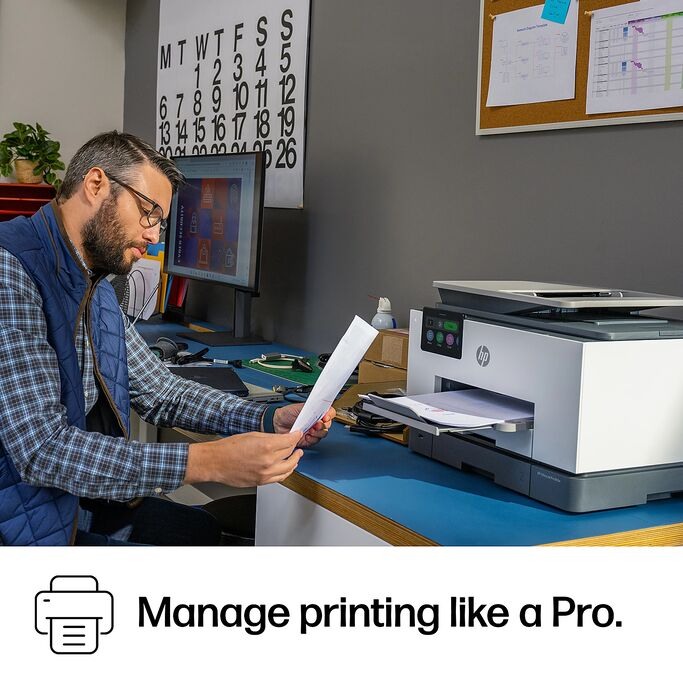
For home office professionals who want flagship-level features at a friendlier price, the HP OfficeJet Pro 8125e is the one we keep recommending. It’s AI-enabled, wireless, and built specifically with home office use in mind — from notes and reports to presentations and flyers.
It prints at up to 20 ppm in black and up to 10 ppm in color, and comes loaded with a 225-sheet paper tray and an auto document feeder. Auto duplex printing is built in, which means we save paper without lifting a finger. The HP AI smartly formats web pages and emails before printing, so every page looks intentional. Resolution tops out at 4800 x 1200 optimized dpi for color prints.
Connectivity options include Wi-Fi, Ethernet, and USB, with the HP Smart App enabling mobile printing from smartphones. The printer also comes with HP 923 ink cartridges in the box (black, cyan, magenta, and yellow) and three months of free Instant Ink through HP+ activation. At a regular price of $179.99 after instant savings, it’s genuinely one of the best value propositions in the home office printer category. Its 2.7-inch touchscreen display makes navigation straightforward, and setup is guided step-by-step through the HP Smart App.
Buy on:
HP Smart Tank 5101 Wireless All-in-One Ink Tank Printer
4
If we’re printing in high volumes on a regular basis — think school projects, invoices, marketing handouts — the HP Smart Tank 5101 is the printer that pays for itself fast. Instead of replacing cartridges every few weeks, this refillable ink tank printer comes with up to three years of Original HP Ink included right out of the box. That’s up to 6,000 black or color pages before we ever need to think about buying more ink.
The 5101 prints at up to 12 ppm in black and five ppm in color, and it handles print, copy, and scan functions across a single compact footprint. The ink refill system is genuinely mess-free — just plug the bottle into the tank and let it drain. Ink sensors alert us before levels get critically low, which helps protect the printhead from running dry.
HP’s AI smarts are on board here too, formatting pages cleanly before printing and connecting to the HP Smart App for mobile printing from anywhere. The self-healing Wi-Fi feature automatically detects and resolves connection issues, so the 5101 stays online with minimal fuss. HP Wolf Essential Security provides basic encryption and password protection for peace of mind. It’s EPEAT Silver certified and Energy Star rated, which means it’s also a responsible choice for the environmentally conscious home office. Regular price is $259.99 (with instant savings available), making it a genuinely long-term investment.
Buy on:
Epson EcoTank ET-3850 Wireless Color All-in-One Supertank Printer
3
We love recommending the Epson EcoTank ET-3850 to home office users who are tired of cartridge costs eating into their budgets. Like the HP Smart Tank, this printer ditches cartridges entirely in favor of refillable ink tanks — but Epson’s model leans into the home office angle even more intentionally. It features a built-in auto document feeder and Ethernet connectivity, making it a genuine office-grade machine in a compact body.
The ET-3850 is powered by Epson’s PrecisionCore Heat-Free Technology, which delivers sharp text and vivid color graphics on virtually any paper type. It prints at up to 15 ppm in black and up to 8 ppm in color, and copies at 11 copies per minute in black and five copies per minute in color. The color flatbed and ADF scanner delivers 1200 x 2400 dpi hardware resolution, which is excellent for archiving documents and photos.
Each bottle of EcoTank ink replaces about 80 individual cartridges, and replacement bottles cost up to 90% less than traditional cartridges. The printer ships with enough ink to print up to 7,500 black pages and 6,000 color pages right from the start. A large color LCD display makes navigation simple, and mobile printing is handled through the Epson Smart Panel App, AirPrint, Mopria, and Wi-Fi Direct. It’s ENERGY STAR certified and available at Office Depot for around $349.99 (regular price $399.99 with instant savings). For home offices that print frequently and want predictable, low running costs, it’s an outstanding choice.
Buy on:
Brother MFC-L3780CDW Wireless Digital Color All-in-One Laser Printer
2
When print speed and laser-quality output matter most, we turn to the Brother MFC-L3780CDW. This is the printer we recommend to home office professionals who frequently handle high-volume print jobs and can’t afford a slow machine. It reaches print speeds of up to 31 ppm in both black and color and scan speeds of up to 29 images per minute in black and 22 images per minute in color, with single-pass duplex copy and scan.
The 3.5-inch color touchscreen makes it easy to assign up to 48 shortcuts for frequent tasks and to directly print from or scan to cloud services like Google Drive, Dropbox, OneDrive, and Evernote. An NFC card reader supports badge authentication for added security — a feature usually reserved for enterprise printers. The 250-sheet paper tray can be expanded to 500 sheets with an optional lower tray, and a 50-sheet auto document feeder keeps multi-page workflows moving.
Security features are robust, including IP filtering and SSL/TLS support. The printer is ENERGY STAR compliant and EPEAT Silver rated, with eco-friendly modes like Toner Save and automatic duplex printing to reduce waste. Dual-band wireless (2.4GHz and 5GHz), Gigabit Ethernet, Wi-Fi Direct, and USB connections provide flexible setup options. Brother backs it with a one-year limited warranty and free lifetime support. At Office Depot, it’s available as a premium home office option — ideal for those who need laser-quality color printing at real speed.
Buy on:
Brother Work Smart MFC-J1360DW Wireless Color Inkjet All-in-One Printer
1
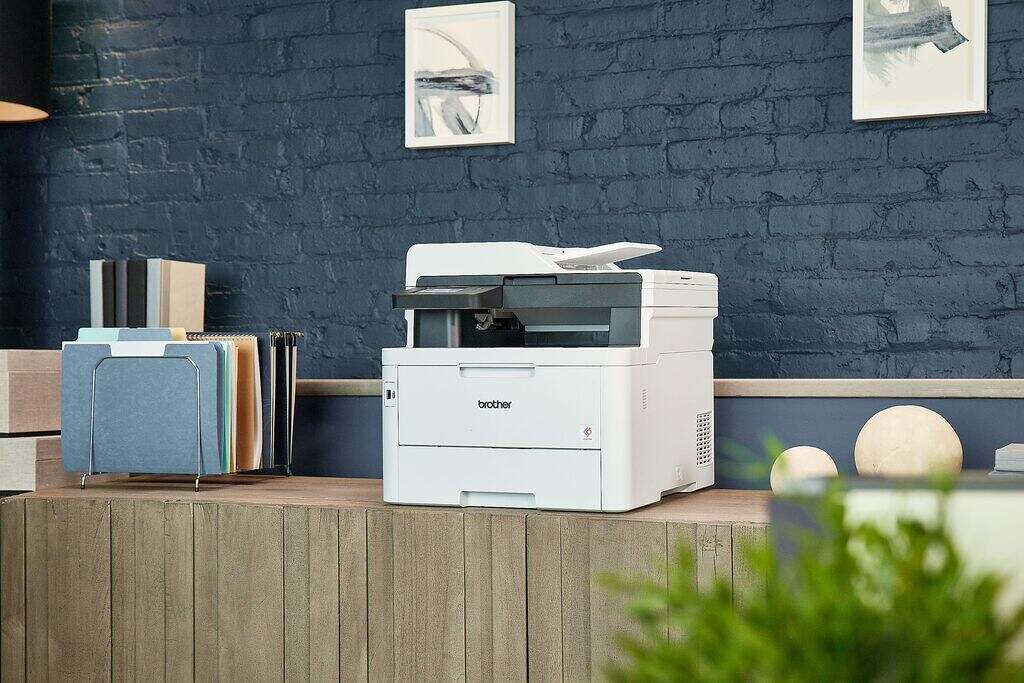
Not every home office needs a high-powered laser printer or a large tank system. Sometimes, we just need a reliable, compact, and affordable all-in-one that handles everyday printing without hassle — and that’s exactly where the Brother Work Smart MFC-J1360DW shines. It’s the no-fuss pick for home offices with light-to-moderate print volumes.
The MFC-J1360DW prints at up to 16 ppm in black and up to nine ppm in color, with a print resolution of up to 1200 x 6000 dpi on Windows. It includes automatic duplex printing and a 20-sheet single-sided auto document feeder — both surprisingly useful features at this price point. The 150-sheet paper tray handles most everyday jobs without constant refilling, and the 1.8-inch color LCD display makes setup and navigation straightforward.
Cloud connectivity is built in, letting us print from and scan to Google Drive, Dropbox, Box, OneDrive, and more through the display. The Brother Mobile Connect App enables full device management from a smartphone, including remote printing and ink monitoring through the Page Gauge feature. It supports AirPrint, Mopria, and Wi-Fi Direct for wireless printing from any device. Brother uses its own Genuine LC501 Ink in this printer. Compact enough to fit in tight spaces, and easy enough to use right out of the box, the MFC-J1360DW is a smart entry-level choice for anyone getting their home office off the ground.
Buy on:
What should we look for when buying a printer from Office Depot for home office use?
The right printer depends on our printing habits and priorities. For high-volume or frequent printing, ink tank or laser printers tend to save us the most money over time on supply costs. For occasional use with sharp color output, an inkjet all-in-one like the HP OfficeJet Pro series makes sense. We should also consider connectivity — wireless, Ethernet, and mobile printing support are all worth having in a home office. Paper capacity, duplex printing, and scanning speed matter too, especially if we frequently handle multi-page documents. Finally, we should factor in ongoing ink or toner costs, not just the upfront price.
Are ink tank printers worth it for a home office?
Absolutely, if we print regularly. Ink tank printers like the HP Smart Tank 5101 and Epson EcoTank ET-3850 cost more upfront compared to standard inkjet printers, but the dramatically lower cost-per-page makes them highly economical over time.
Can we print from our phones using these Office Depot printers?
Yes, all six printers on this list support mobile and wireless printing. HP printers work with the HP Smart App, which enables printing, scanning, and even mobile faxing from any smartphone. Brother printers use the Brother Mobile Connect App for remote printing and device management. Epson printers connect through the Epson Smart Panel App. Beyond brand-specific apps, most of these printers also support AirPrint for iPhone and iPad users, Mopria for Android users, and Wi-Fi Direct for device-to-device connections without needing a network router.
Some images on this article are copyrighted by Office Depot.